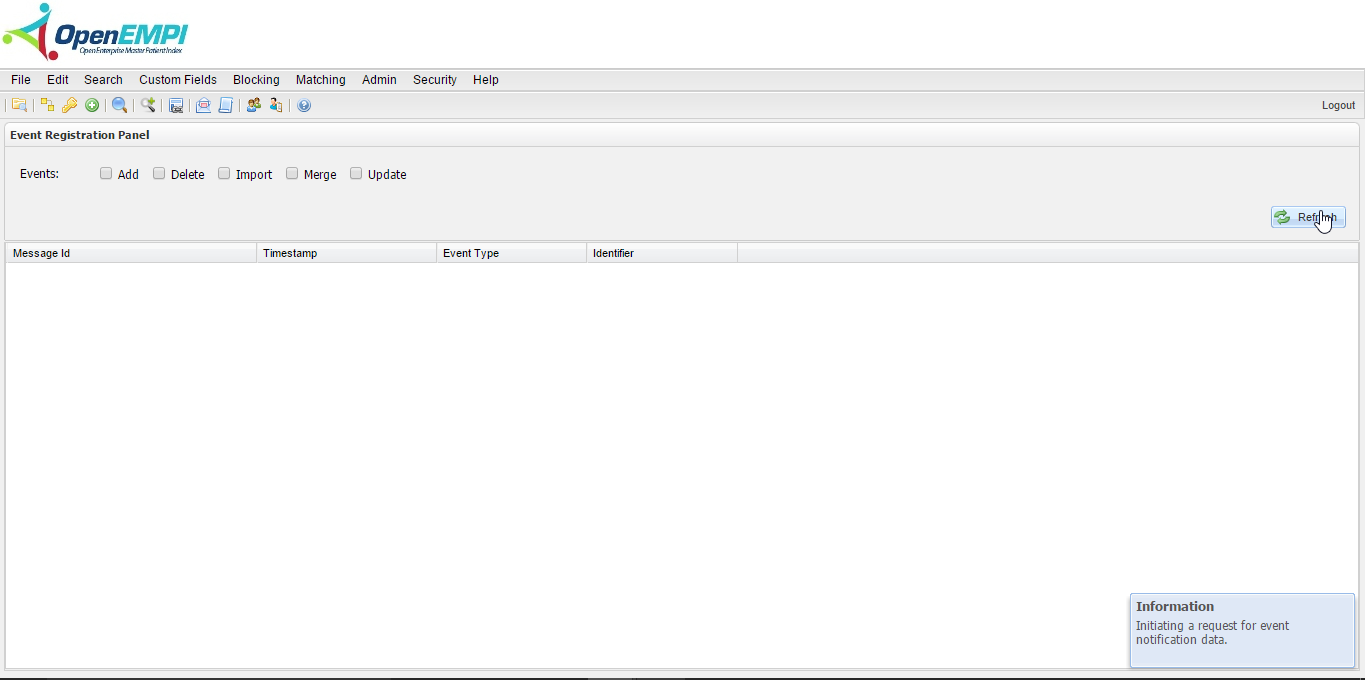
The Event Notification feature enables administrators to initiate a registration or unregistration for one or more of the following event types:
- Add (addNotificationEventType)
- Delete (deleteNotificationEventType)
- Import (importNotificaitonEventType)
- Merge (mergeNotificationEventType)
- Update (updateNotificationEventType)
To initiate a registration for an event
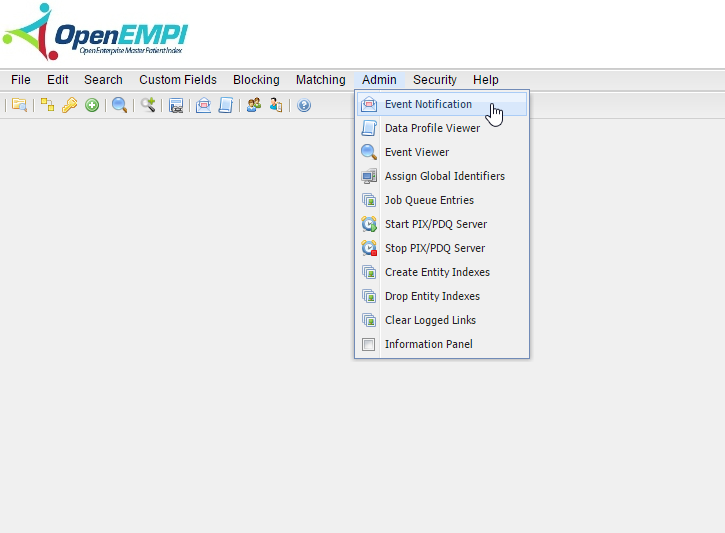
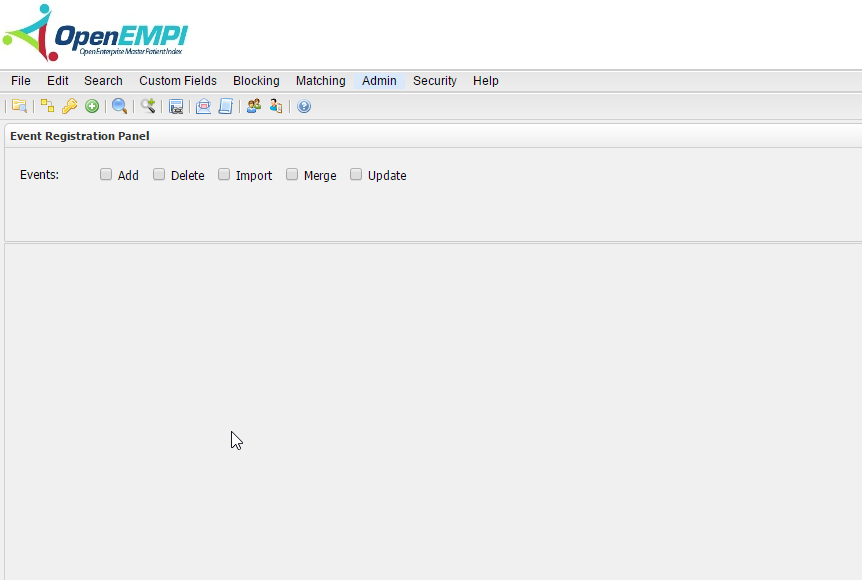
- Log in to OpenEMPI and select Admin > Event Notification. The Event Registration Panel is displayed, as shown in the following images:
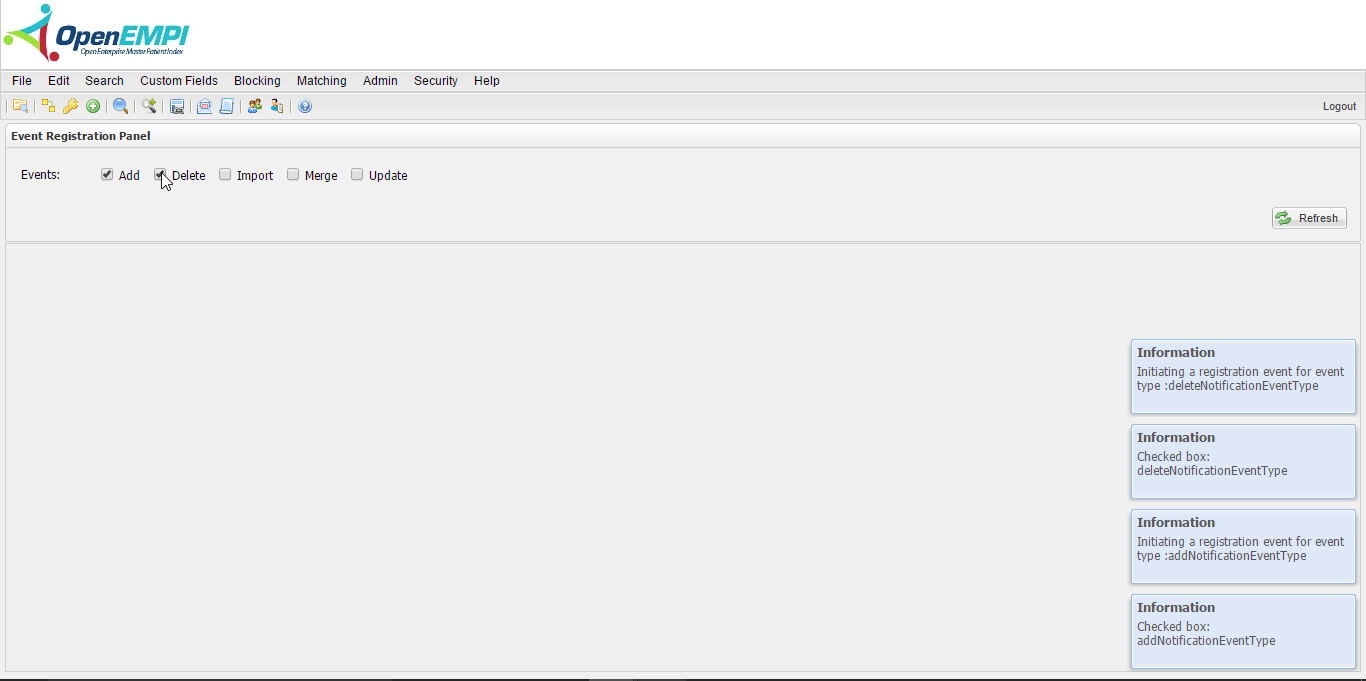
- Select the event(s) you want to initiate. Messages pop up at the bottom of the window to inform you that the event(s) registration was initiated, as shown in the following image:
To initiate an unregistration for an event
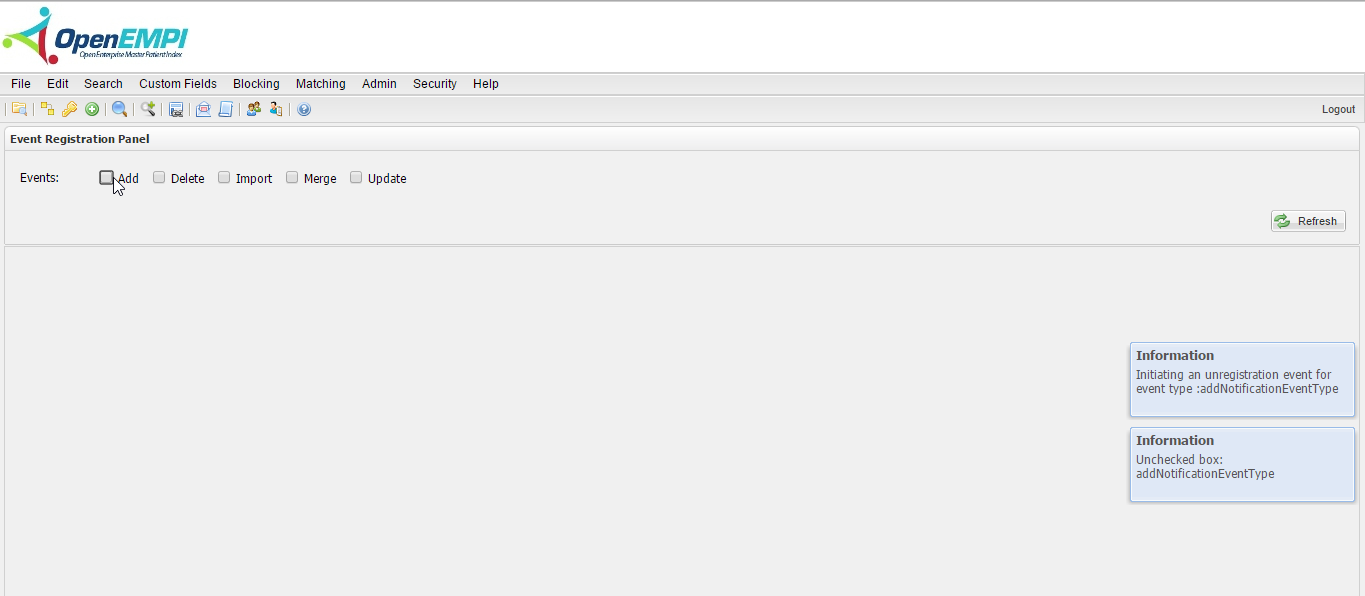
Select the event(s) for which you want to initiate an unregistration event. Messages pop up at the bottom of the window to inform you that the event unregistration was initiated, as shown in the following image:
To refresh the event list
Click the Refresh button. A message pops up at the bottom of the window to inform you that a request has been initiated for event data: