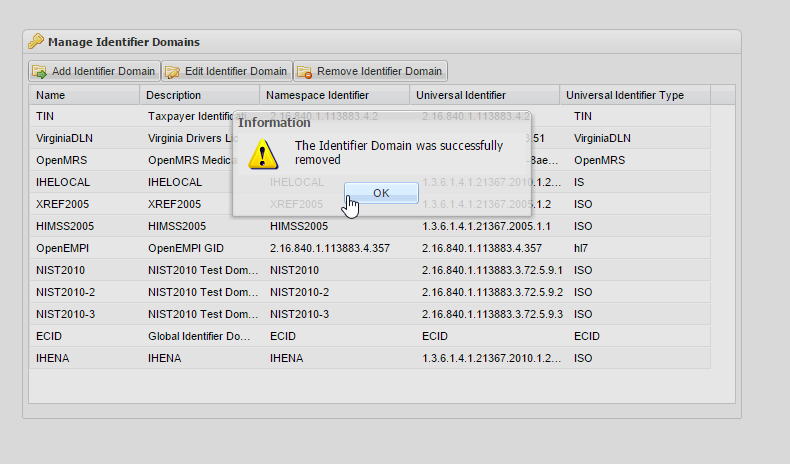
The Edit Identifier Domains page is where administrators configure the Identifier Domains that can be used in the Person Identifier field of a person record.
To access the Manage Identifier Domains page
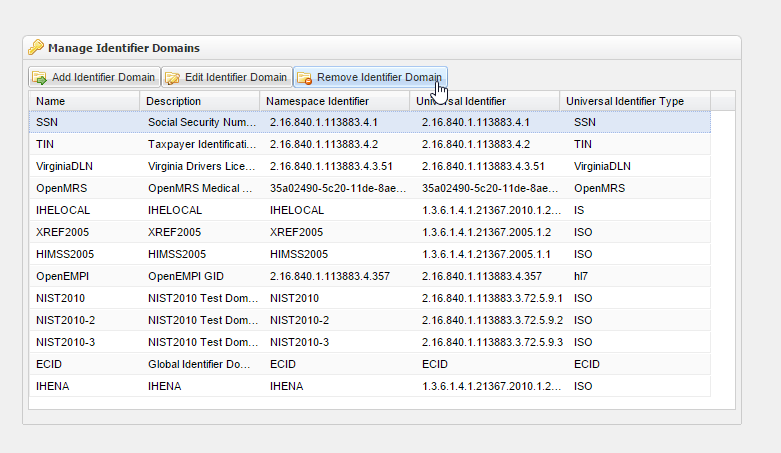
Log in to OpenEMPI and select Admin > Edit identifier Domains from the menu bar. The Manage Identifier Domains page is displayed with a list of existing Identifier Domains, as shown in the following image:
You can then add, edit, or delete an Identifier Domain.
To add an Identifier Domain
-
Access the Manage Identifier Domains page.
-
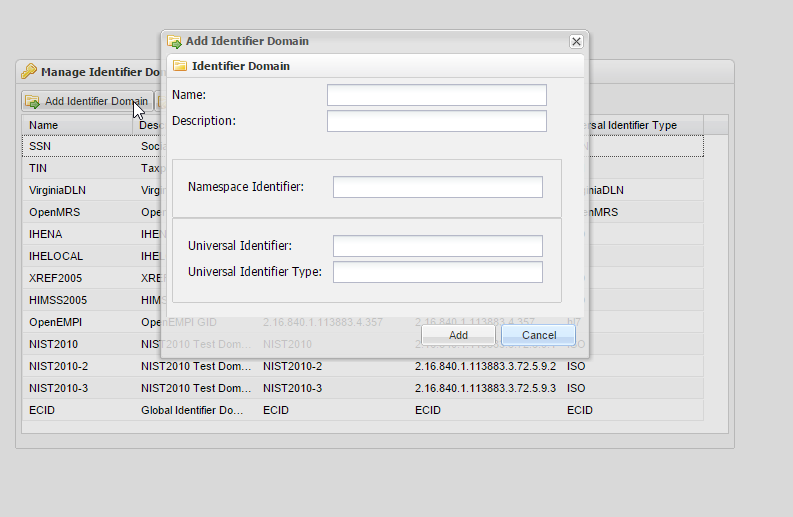
Click the Add Identifier Domain button. The Add Identifier Domain window opens.
-
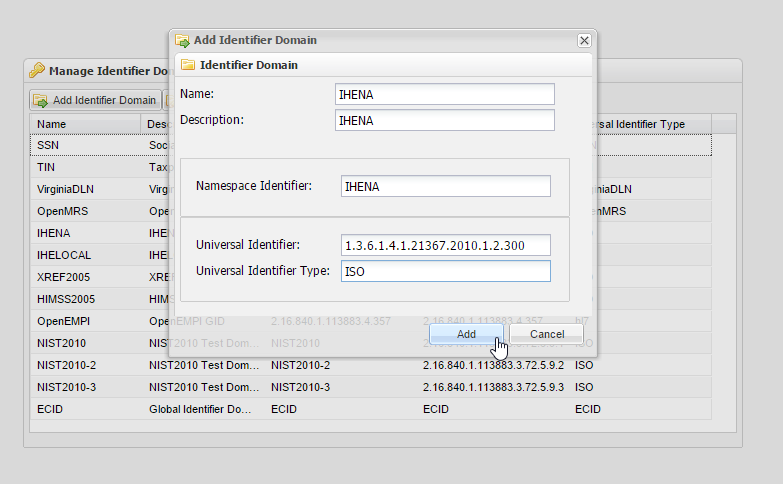
Enter the following information in the spaces provided:
- Name
- Description
- Namespace Identifier
- Universal Identifier
- Universal Identifier Type
-
Click Add to add the Identifier Domain to the system.
To edit an Identifier Domain
- Access the Manage Identifier Domains page.
- Click the Edit Identifier Domain button. The Edit Identifier Domain window opens.
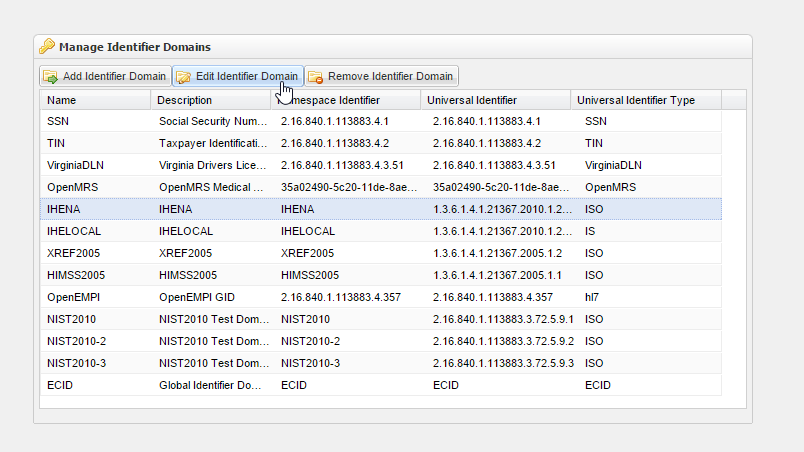
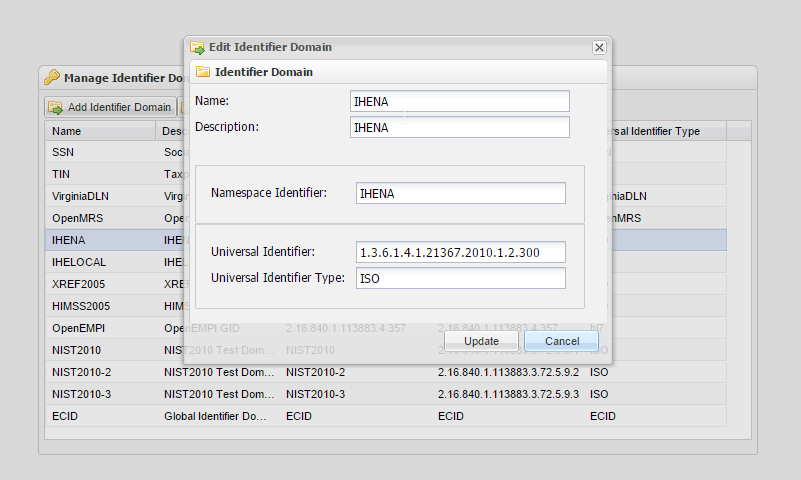
- Make your changes.
- Click Update to save your changes to the Identifier Domain.
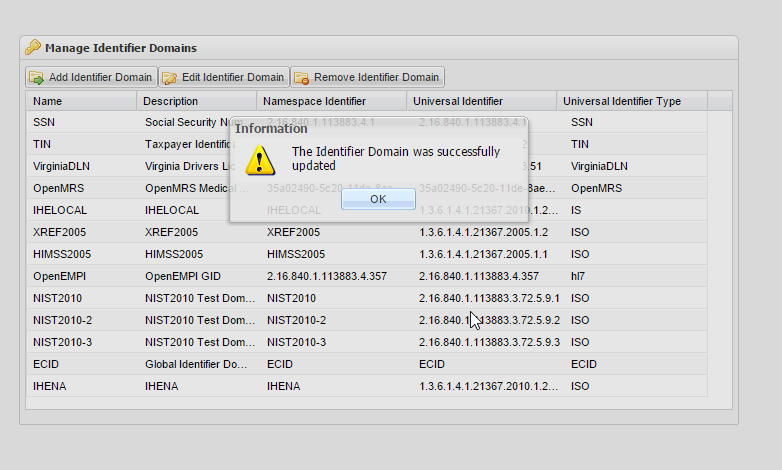
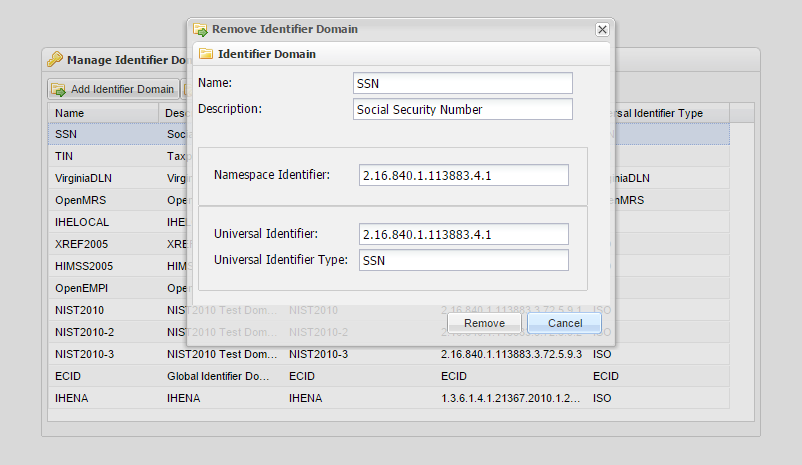
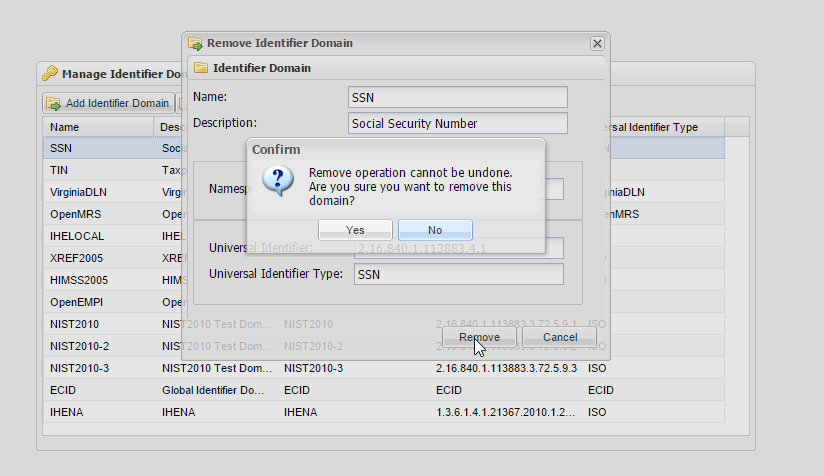
To delete a Identifier Domain, select the Identifier Domain from list grid then click on Delete Identifier Domain button. A Delete Identifier Domain dialog box will popup to show the Identifier Domain information. If the Delete button is clicked, the confirm delete information box will be displayed to let you confirm the Identifier Domain is the right one you want to delete then click Yes button to real delete the Identifier Domain.
To delete an Identifier Domain
-
Access the Manage Identifier Domains page by selecting the Remove Identifier Domain tab. The window will open up.
-
Select the Identifier Domain that you want to delete.
-
Click the Remove Identifier Domain button. The Remove Identifier Domain window opens.
-
Click Delete. A confirmation window is displayed:
-
Click OK to confirm the permanent deletion of to the Identifier Domain.